

ThoxKey: Learn more
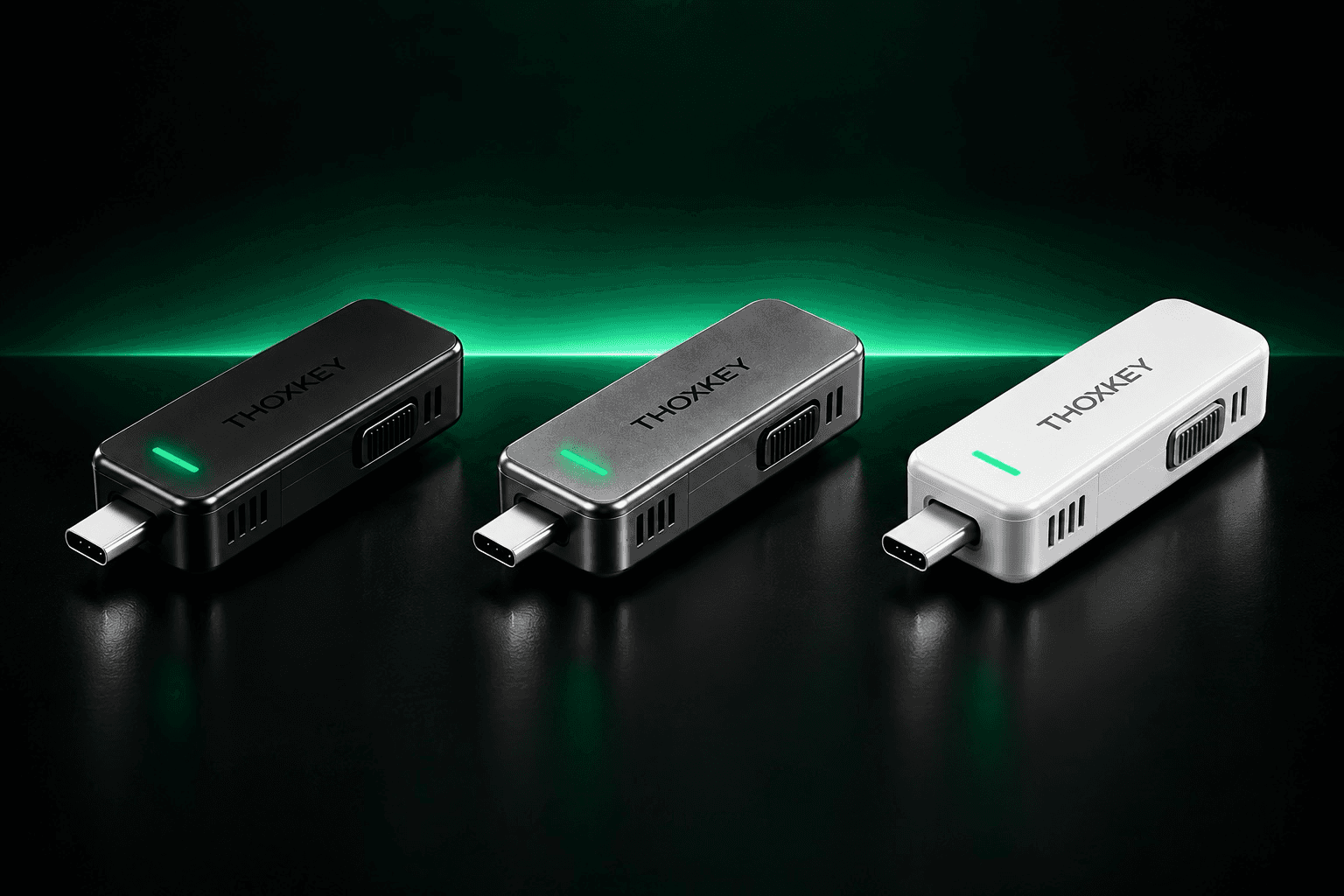
A 128 GB native USB-C drive-resident AI runtime. Models and engine live on the drive; a compatible host supplies compute. A separate USB-A converter is included.
Your AI. Your Data. Your Rules.™
THOX™ combines purpose-built models, personal devices, local execution, private networking, and human-controlled AI workspaces into one architecture.
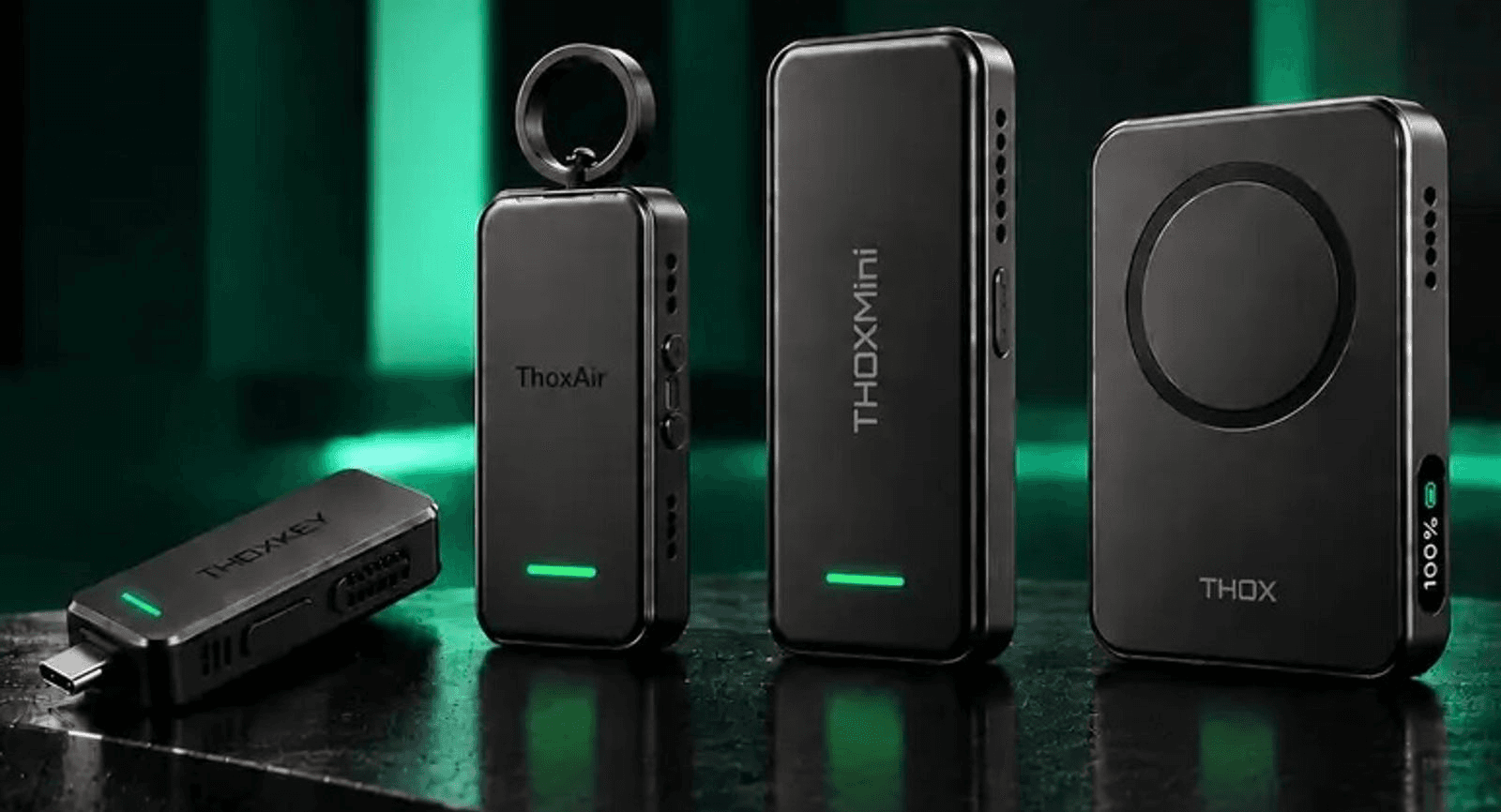
Four local-first THOX devices keep the runtime and the workflow on the hardware you control. Meet ThoxKey, ThoxAir, ThoxMini, and ThoxClip.
The Kickstarter campaign is in prelaunch.


A 128 GB native USB-C drive-resident AI runtime. Models and engine live on the drive; a compatible host supplies compute. A separate USB-A converter is included.

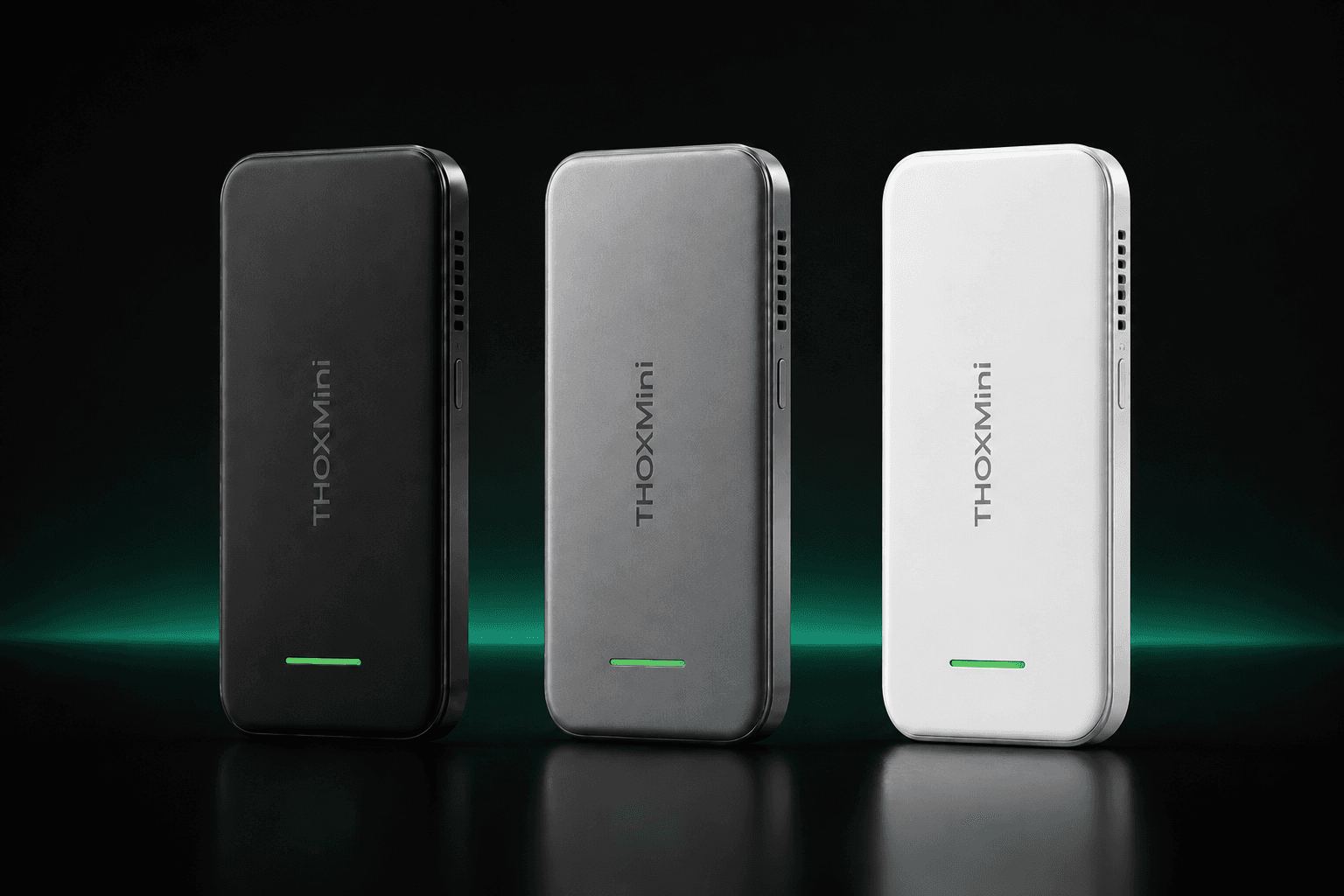
A compact no-ring THOX device with a slim rounded body, vertical wordmark, side controls, and a lower green status bar.

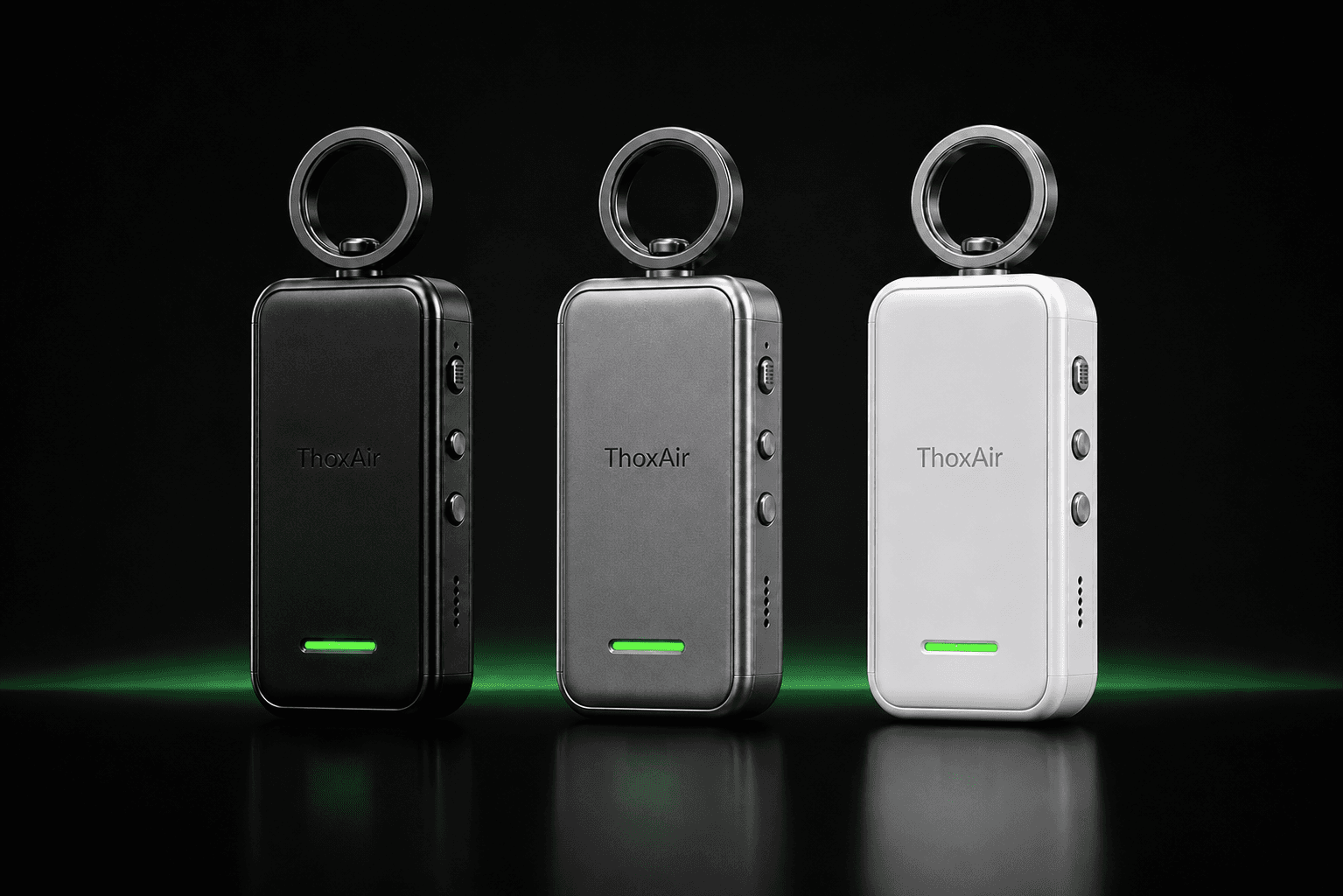
A compact wireless THOX companion with an 82 × 36 × 16 mm body and a separate top attachment ring.

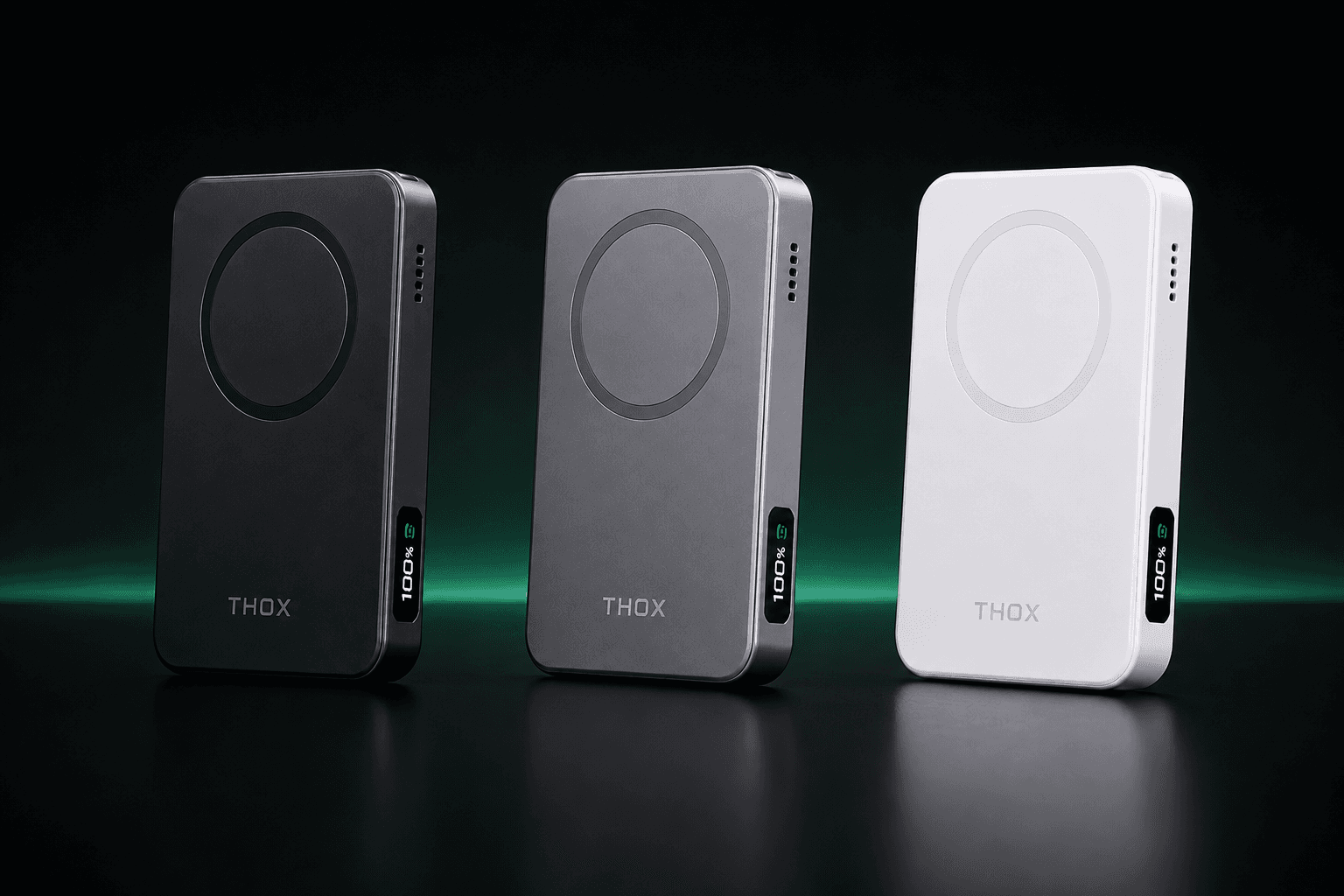
A magnetic wireless charging THOX device with onboard compute that clips to the back of your phone. 101 × 64 mm face.
Live demo
Register with your email, choose a device, and talk to ThoxOS in your browser. Ask for a job the device cannot hold on its own and MeshStack places it on a peer that has room — the data stays inside the mesh.
THOX.ai LLC develops private, local-first artificial intelligence hardware and software intended to let users own, control, and run intelligent systems across personal devices without requiring cloud dependence.
Runs and manages intelligence at the device layer.
Connects authenticated devices and compute into a distributed private AI mesh.
Models on your USB. Inference on this device's GPU. Offline.
The workspace layer where humans, agents, Digital Employees, models, tools, devices, approvals, and artifacts converge.
Compute should move to the user's data whenever practical — not require the user's data to move to remote compute.
THOXWORK™
Coming SoonThoxOS™ is local ownership, on every device. MeshStack™ is private distributed ownership, opt-in clustering. ThoxWork™ is the daily workspace for corporate and business teams on ThoxNova and ThoxUltra.
Your AI. Your Data. Your Rules.

Home, then jobs and activity, then Agents, Projects, Devices, and Vault. Thirty-eight seconds, start to finish.
Each one holds a role, a ThoxLoop seat, a privacy boundary, and a pinned device. THOXY is the front door. Ava, Mira, Kai, Sera, Nova, Helix, Rhea, and Atlas sit on the mesh. ThoxEmployee is the local employee OS for bringing your own roles and instructions into a workspace you control.
See how ThoxEmployee fitsBuild your team in ThoxEmployee, run an ordered task, and review its written handoffs. The hosted guest demo has daily call limits and expires after 24 hours. ThoxWork remains Coming Soon.
Try the ThoxEmployee workspaceTHOXY
Workspace assistant
Router
Ava
Chief of staff
Orchestration
Mira
Knowledge steward
SME
Kai
Device operator
Worker
Sera
Compliance sentinel
Judge
Nova
Build engineer
Coding
Helix
Finance controller
SME
Rhea
People operations
Manager
Atlas
Strategy research
Architect
Finance goes to Helix, a privacy or policy review to Sera, MagLink to Nova, strategy to Atlas. The employee returns a work product on-device, or through THOX Router when it is available.
Open Atlas. A job sitting in judge can be Released or Returned to student. Released work can be Promoted to vault.
The command palette reaches Home, Agents, Projects, Devices, and Vault. Mesh on in the header shows the full roster, and the default view is THOXY only.
Select ThoxNova-01, ThoxUltra-A, ThoxUltra-B, or MeshStack-HQ and see who is pinned to it.
Shelves for skills, templates, knowledge, and memory, scoped HOT, WARM, COLD, or VAULT. Writes are append-only and carry a named owner.
Use Migration Studio to review a bot configuration you own. The local employee kernel holds roles and instructions; the supervised task workspace runs ordered team tasks and keeps written handoffs ready for review.
Move a ThoxPack employee-profile file between the ThoxEmployee task workspace and the ThoxWork review surface. Inspect the roster, roles, and full instructions, then explicitly review the profiles you choose to save. The exchange is file-based.
The ThoxWork review surface keeps profiles in the current browser. Export a reviewed pack when you want to move them. Saving a profile does not register it with the backend, start tasks, or activate tools and routines.
ThoxEmployee kernel policy checks record their allow or deny result and the rule used. Export the append-only audit history as CSV to inspect those decisions. Recognized secret patterns in event details are redacted; review exported records before sharing.
Keep the role and instructions you own. Prepare and review employee JSON in your browser, then choose whether to import it into the hosted workspace.
Synthetic illustrated walkthrough
Choose a source and explore the steps. This illustration does not convert or import files.
01Prepare file
Grok
Your instruction text
02Review instructions
Read the full profile
Name, role and raw instructions
03Acknowledge review
Your review matters
Acknowledge before moving on
04Virtual workspace
ThoxEmployee
Browser rehearsal only
Step 1 of 4Prepare file. A synthetic instruction file is ready to start.
Prepare Grok, Hermes or Pi instruction text in your browser. Review the employee JSON and rehearse an import before using it in your workspace.
Copy instructions you own or are authorized to move, or choose a supported instruction file or employee JSON. Source accounts stay separate.
Review names, roles, source IDs and full instructions. Try an import in the virtual workspace; it stays in browser memory and makes no AI call.
Download reviewed employee JSON and open the hosted workspace separately. Selecting the file there uploads the profiles for a new review before you confirm import.
ThoxWork remains Coming Soon. An operator reviews the employee package and configures registration with the THOX backend and ThoxWork roster. Browser rehearsal and hosted import do not register an employee with ThoxWork.
Transfer uses instruction text you provide. It does not connect source accounts or transfer memory, credentials, logins, subscriptions or tool access. Importing a profile does not start work.
Locked navigation
Apps
ThoxOS, MeshStack and ThoxWork run on your own hardware. Desktop is available now for ThoxOS and MeshStack on Windows, macOS and Linux. iOS, Android and on-device ThoxDevice builds are coming soon.
The local-first AI layer: chat, agents, files and search, running on hardware you own.
AndroidPhones and tabletsComing soonOne private mesh across every device you own. Local models join the mesh, and prompts route local or peer.
AndroidPhones and tabletsComing soonThe daily workspace for your THOX devices and digital employees. In preview across every platform.
AndroidPhones and tabletsComing soonThree kits bundle the four devices. Each is photographed as it ships, in the finish you choose after the campaign.

1 × ThoxKey and 1 × ThoxAir

1 × ThoxKey, 1 × ThoxAir, and 1 × ThoxMini


1 × ThoxKey, 1 × ThoxAir, 1 × ThoxMini, and 1 × ThoxClip
Shown in two photographs: ThoxKey, ThoxAir, and ThoxMini together, and ThoxClip in its three finishes.
These are photographs of real THOX devices. Small manufacturing details can still change during engineering, certification, and production.
MeshStack™ connects compatible THOX devices and machines and coordinates local workflows across them. Capabilities depend on the devices, host, and configuration in use.
Explore MeshStackWe describe what each device does and we keep interface specifications separate from performance. Final capabilities, compatibility, and delivery estimates will be stated with the campaign rewards.
ThoxOS provides the runtime and device layer. MeshStack connects enrolled devices for configured private networking and compute workflows. ThoxWork is the workspace product in preview and remains Coming Soon. Available features depend on the application, release and hardware you use.
Yes. The ThoxEmployee hosted workspace lets you arrange an AI team, run ordered text tasks and review drafts. Edge Lab lets a verified THOX account request an AI classification and inspect a proposed action. These website demos are separate from the virtual device previews and from production hardware capabilities. Current setup and limits are explained in the Support Center.
Live ThoxEmployee and Edge Lab requests use hosted processing after your consent. Use public or synthetic examples and review the data-sharing notice first. Edge Lab also has a separately labeled browser sample that uses deterministic examples without a model call. Local THOX runtime and enrolled-peer deployments have their own configuration and access requirements.
No. The current ThoxEmployee demo produces text for review, and Edge Lab produces review-only proposals. Approving a draft, importing a profile or downloading a receipt does not execute tools, connect a device or send a message. Connected actions require a separate deployment with the appropriate permissions.
Exactly four: ThoxKey, ThoxAir, ThoxMini, and ThoxClip. Other THOX concepts and roadmap products are not Kickstarter campaign items.
ThoxKey is a 128 GB native USB-C drive-resident AI runtime. Its models and engine live on the drive, while a compatible host computer supplies the compute. Nothing installs on the host; unplugging ThoxKey removes the runtime. Every unit includes a separate USB-A male / USB-C female converter for compatible USB-A host ports.
128 GB. That is the capacity every ThoxKey ships with at launch. Larger 256 GB, 512 GB, and 1 TB capacities are on the production roadmap and are not part of this campaign.
No. Up to 10 Gbps describes the native USB 3.2 Gen 2 interface, not inference speed, model performance, or latency. Real results depend on the host, model, workload, and configuration.
The ThoxAir body is 82.0 x 36.0 x 16.0 mm. The top-mounted circular attachment ring sits outside that measurement. The body also carries a side control stack, lower vents, bottom USB-C, a thin enclosure seam, a horizontal wordmark, and a lower green status blade.
ThoxMini uses a slim rounded no-ring enclosure with a vertical ThoxMini wordmark, right-side vents and control, and a lower green status bar. It must not be shown with ThoxAir's attachment ring.
ThoxClip has a 101.0 x 64.0 mm face, with 1.60 mm side walls and 60.80 mm internal width. Its face keeps the 101:64 ratio, with a circular magnetic alignment ring and a small edge status readout. It clips magnetically to the back of an iPhone or other compatible mobile device and charges it wirelessly.
The campaign's default finish choices are Matte Black, Space Gray, and Arctic White. Finish selection details will be provided through the Kickstarter fulfillment process.
There are 15 reward tiers, running from a single ThoxKey up to the Founders Kit, which is all four devices together. There is one add-on: an Extra ThoxKey, which includes one native USB-C ThoxKey and one separate USB-A port converter. Tier pricing is published on Kickstarter when the campaign opens.
Yes. Each kit costs less than the same devices bought one at a time at their standard tier price, and the saving a kit advertises is always measured against those standard single prices rather than against an early-bird rate.
Yes. They are photographs of real THOX devices, not renders. Small manufacturing details can still change during engineering, certification, and production.
The campaign is in prelaunch. Launch timing and estimated fulfillment windows will be published on Kickstarter and shown with the applicable reward tiers.
The Kickstarter campaign is in prelaunch. Review the four items, 15 reward tiers, and the Extra ThoxKey add-on.